
.png)
Product Release 4.50 Featuring intelligent mapping of VSDX imports with Jeff AI
Overview
This release details many new features and improvements, including intelligent mapping of VSDX imports with Jeff AI.
Take a look at the full information below, or go directly to the Release Notes here.
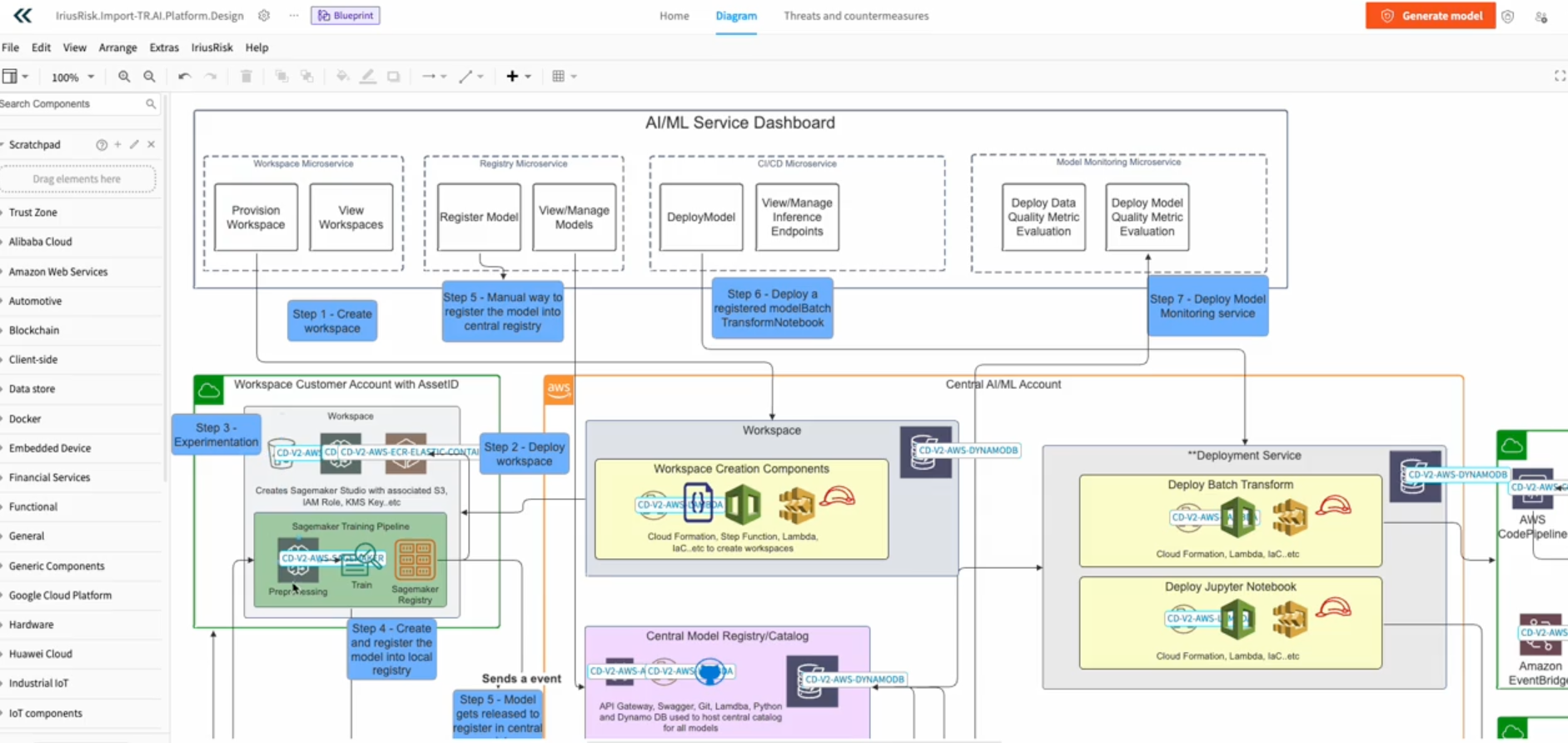
Intelligent mapping of Visio and Lucidchart VSDX imports with JeffAI
Benefits: More Visio and Lucidchart shapes are now mapped automatically, reducing manual cleanup and speeding up project creation. AI-driven recognition adapts to new patterns, improving accuracy and consistency over time.
Challenge: Previously, many shapes weren’t mapped during import, forcing users to manually replace or adjust components — slowing down the workflow and introducing friction.
Solution:
- Release 4.50 introduces Intelligent Mappings, combining static mappings with AI-powered shape recognition.
- JeffAI intelligently identifies and maps shapes, delivering broader coverage and a smoother VSDX import experience.
Continuous Improvements
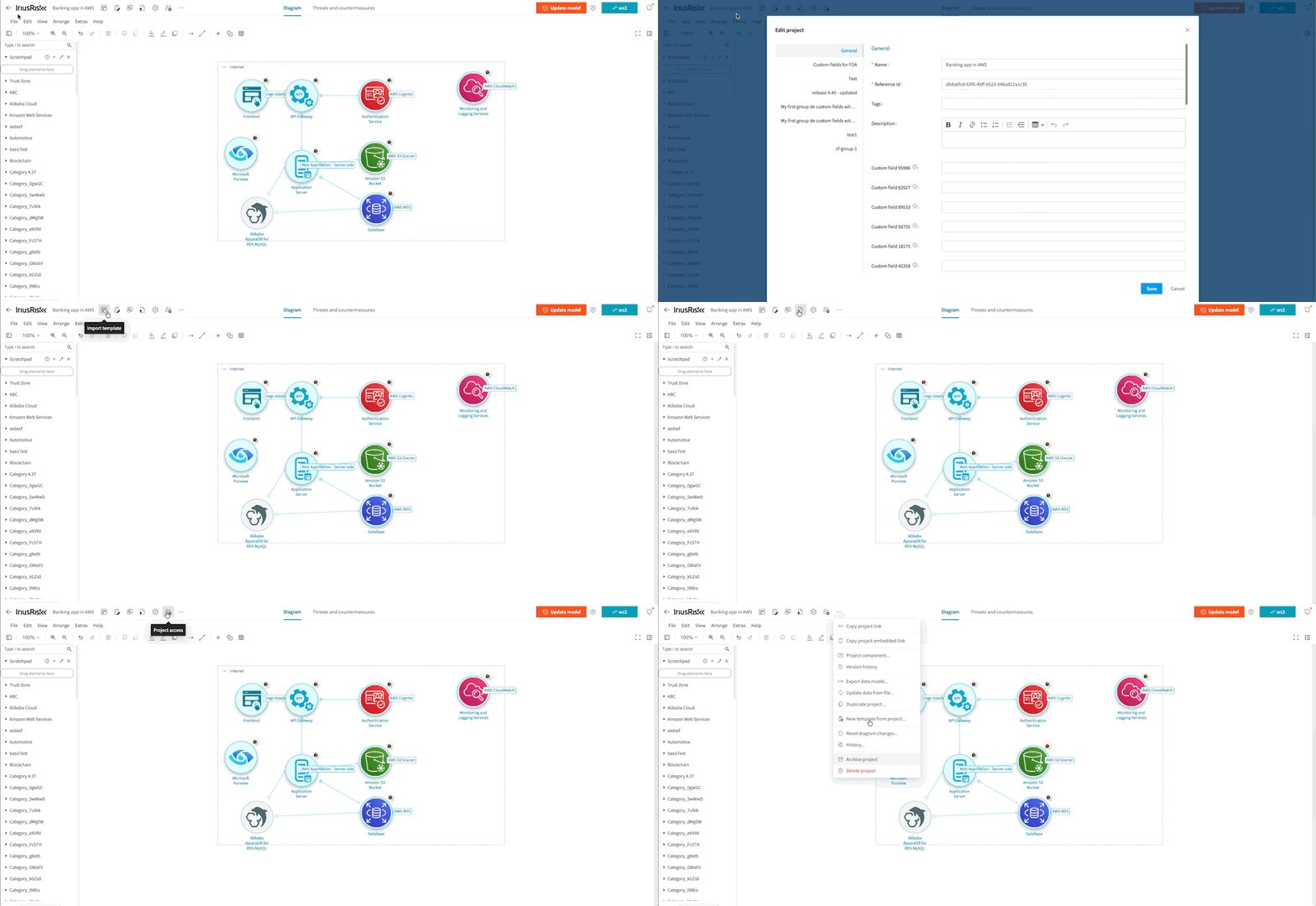
Improved visibility of key project actions in the nav bar
The project navigation bar now makes essential actions, such as reports, templates, questionnaires, and project details, much easier to find and access. Dashboard is no longer treated as the primary action, a clear “Back” option has been added, and the project name is now clickable for quick access to its details. These improvements help you navigate projects more efficiently and reduce friction when switching between core areas of your threat model.
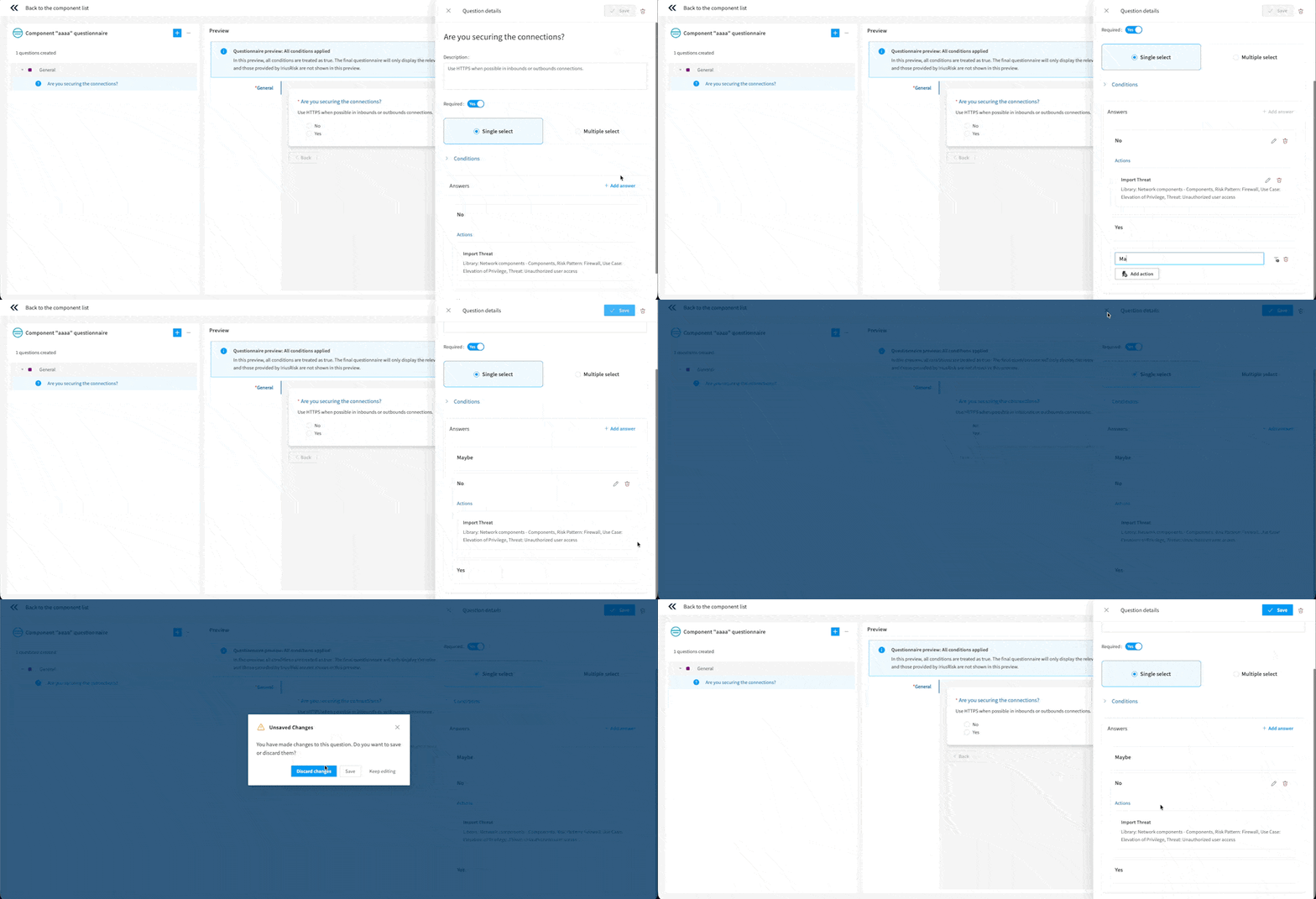
Improved reliability and consistency in the Components Questionnaire Builder
The questionnaire editor now prevents loss of work by showing a confirmation dialog whenever you attempt to navigate away from a question with unsaved changes. Additionally, the side panel now closes automatically when a question is deleted, its tab is removed, or an imported XML replaces or removes it, ensuring the UI never displays outdated information. Together, these improvements create a more predictable and dependable editing experience for you.
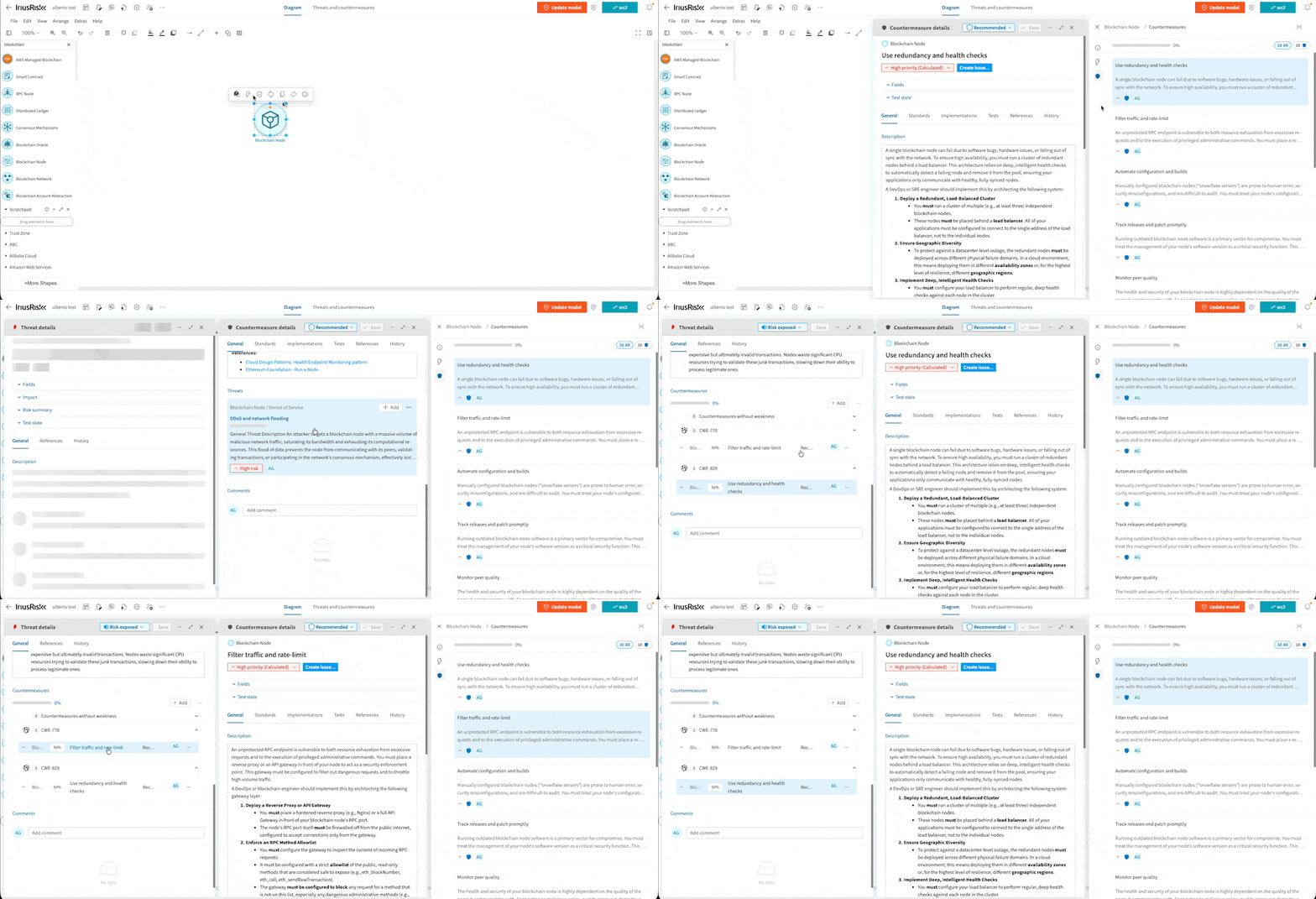
Clear feedback when opening already-open threats or countermeasures
When you click a threat or countermeasure that is already open in a context window or panel, the UI now provides clear visual feedback, bringing the existing window into focus or briefly highlighting it. This ensures users understand it is already active, preventing confusion and improving the overall interaction flow.
Cleaner questionnaire experience: Summary and Outcome panels now hidden by default
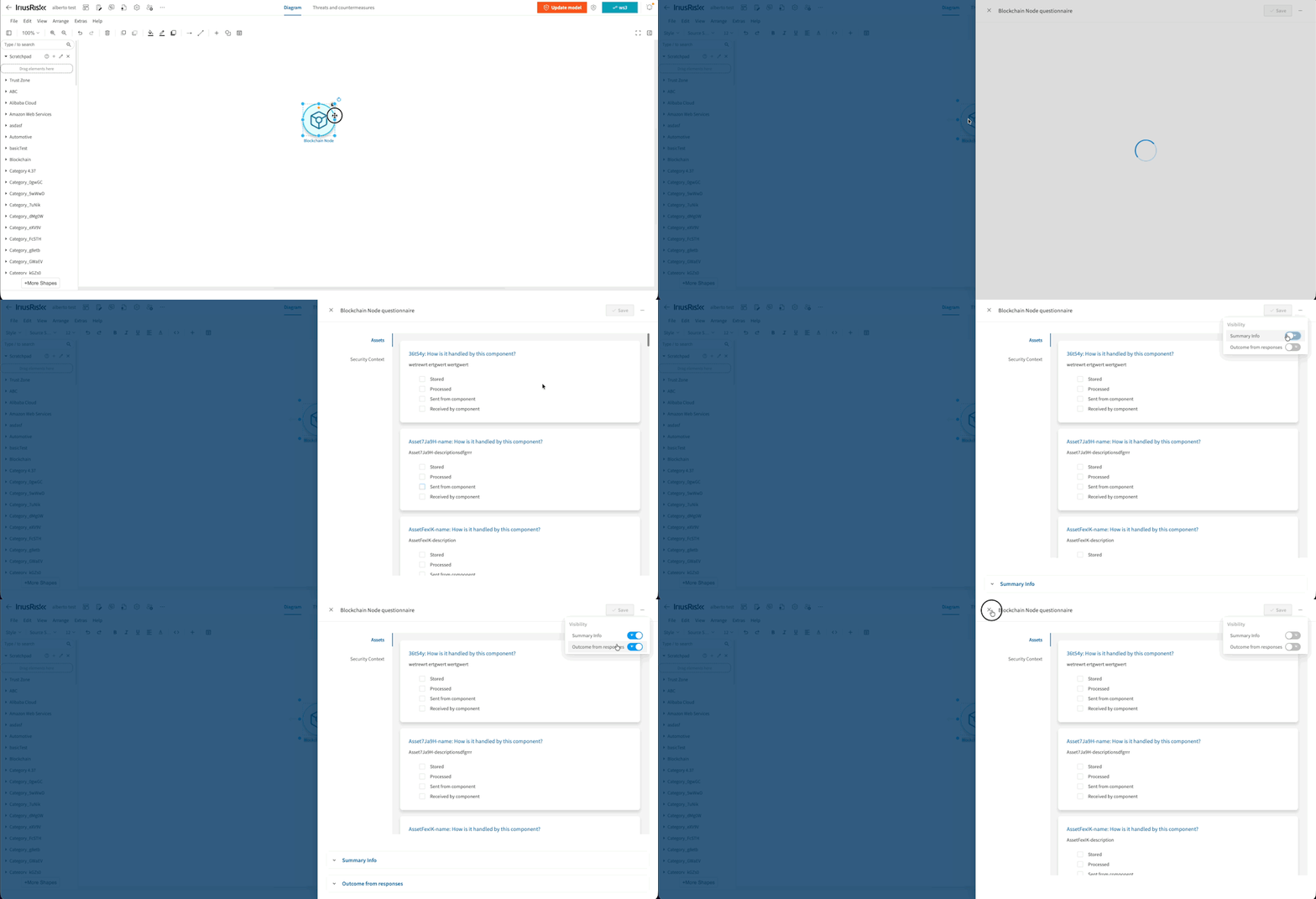
In both Model and Component Questionnaires, the Summary info and Outcome from responses sections–primarily used by Security Experts for debugging rule logic–are now hidden by default. Regular users no longer see this extra noise while responding, and experts can still access these panels when needed, keeping the interface focused and easier to navigate.
Larger click areas for countermeasures
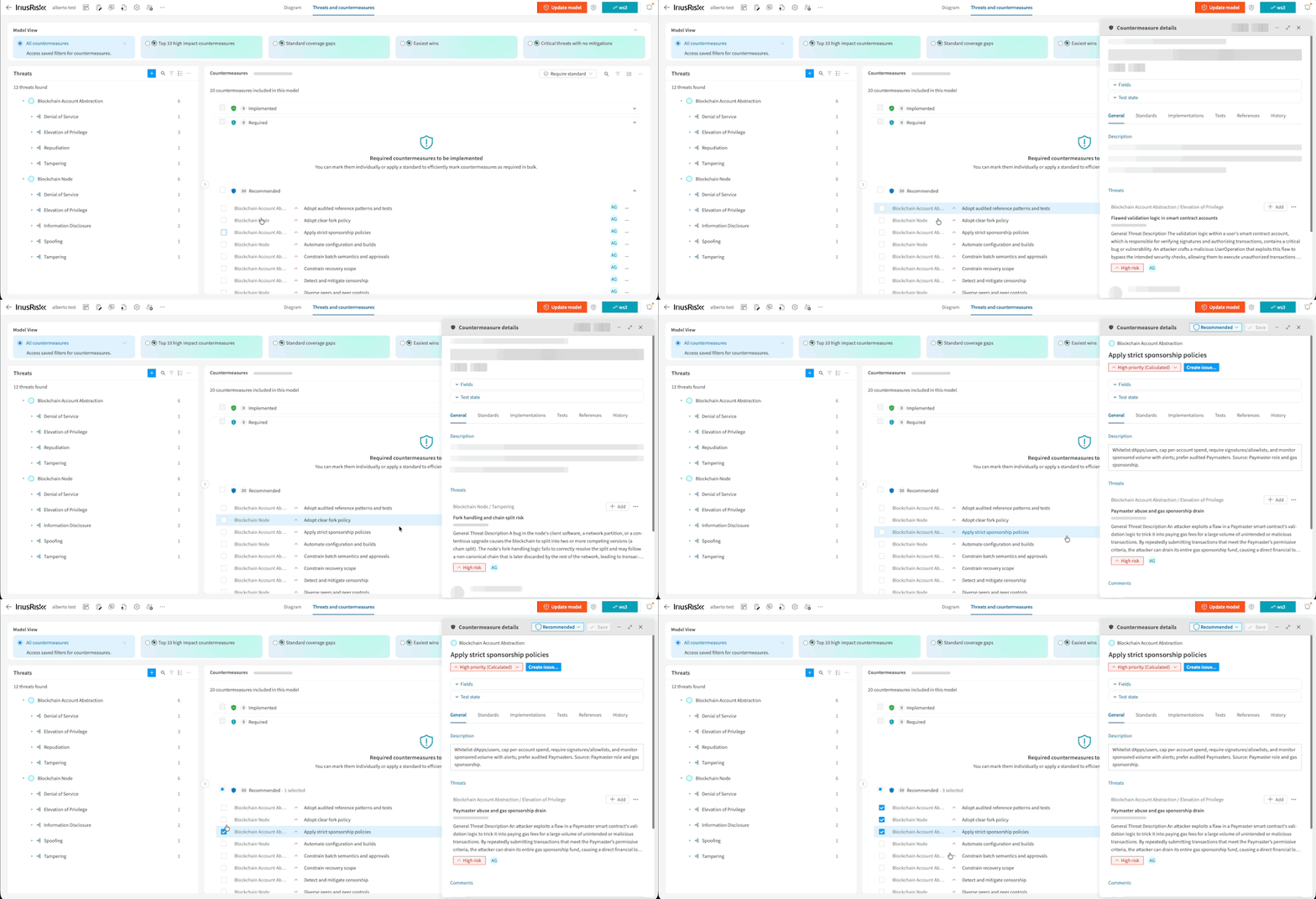
The touch area for checkboxes in the Countermeasures grid has been expanded to cover the full cell, making selection much easier. Additionally, countermeasures now open when clicking anywhere on the row, not just the title text. These improvements create a smoother, more accessible interaction—especially when working through dense lists.
New Components and Standards
New Components
The content from the PIPL standard is included as a new regulatory component called “PIPL Environment”
Release Notes and Documentation
For more information, see Version 4.50 Release Notes or check out our Documentation.
Shape the future of Threat Modeling with us!
Join IriusRisk Horizon - Customer Research, Product Discovery, and Early Access. Join today.
Swaggerhub & Github
Find out more of what you need in GitHub and Swaggerhub Repos:
https://app.swaggerhub.com/apis/continuumsecurity/IriusRisk/1.24.0 - We provided this featured API to allow for deeper customer integrations as well as enable very flexible automations within the many varied environments IriusRisk needs to operate.
https://iriusrisk.github.io/iriusrisk-api/v2/latest/- Please note that this version of the API is currently in beta. While it offers advanced features for deeper integrations and flexible automations, we reserve the right to make breaking changes during this phase and encourage caution in production environments.
https://github.com/iriusrisk/IriusRisk-Central - Provides content useful for IriusRisk threat modelling, including templates, API scripts, libraries and more.

FAQs

IriusRisk Team
